
Image updates and redeploys
The doctor compares what each container runs against what its registry publishes, lists newer versions with their release notes, and - with a GitHub token - can redeploy a stack whose tag has a new build.
Which images are behind
Section titled “Which images are behind”Two questions, because there are two ways to be behind.
Has the tag moved? Thirty containers on :latest and no way to tell which
are stale short of pulling each one. Every DOCTOR_IMAGE_CHECK_HOURS (default
12) the doctor compares the digest each running image carries against what the
registry publishes for that tag — anonymous token, HEAD on the manifest, every
accept type a multi-architecture index can answer with. A difference is a new
build.
Is there a newer version? An exact version tag never moves, so
sonarr:4.0.20 passes the first check forever while 4.1 ships — and a stack
that pins exact versions never moves at all. So the doctor also lists the repository’s tags
and looks for newer ones in the pinned tag’s own line: same prefix, same
number of version parts, same suffix once its numbers are set aside.
| Pinned | Compared with | Not with |
|---|---|---|
4.0.20 |
4.0.21, 4.1.0 |
4.1.0.2300-ls301 (LinuxServer’s build tags), 4.2.0-rc1 |
v2.16.0 |
v2.17.0 |
v2.17.0-distroless |
12.1 |
12.2, 13.0 |
12.1.3 — a two-part pin already floats over its patches |
2024.10.22-7ca5933 |
2025.1.5-e1f00d2 |
— the commit hash is “some hash” |
latest, stable |
— | left to the digest check |
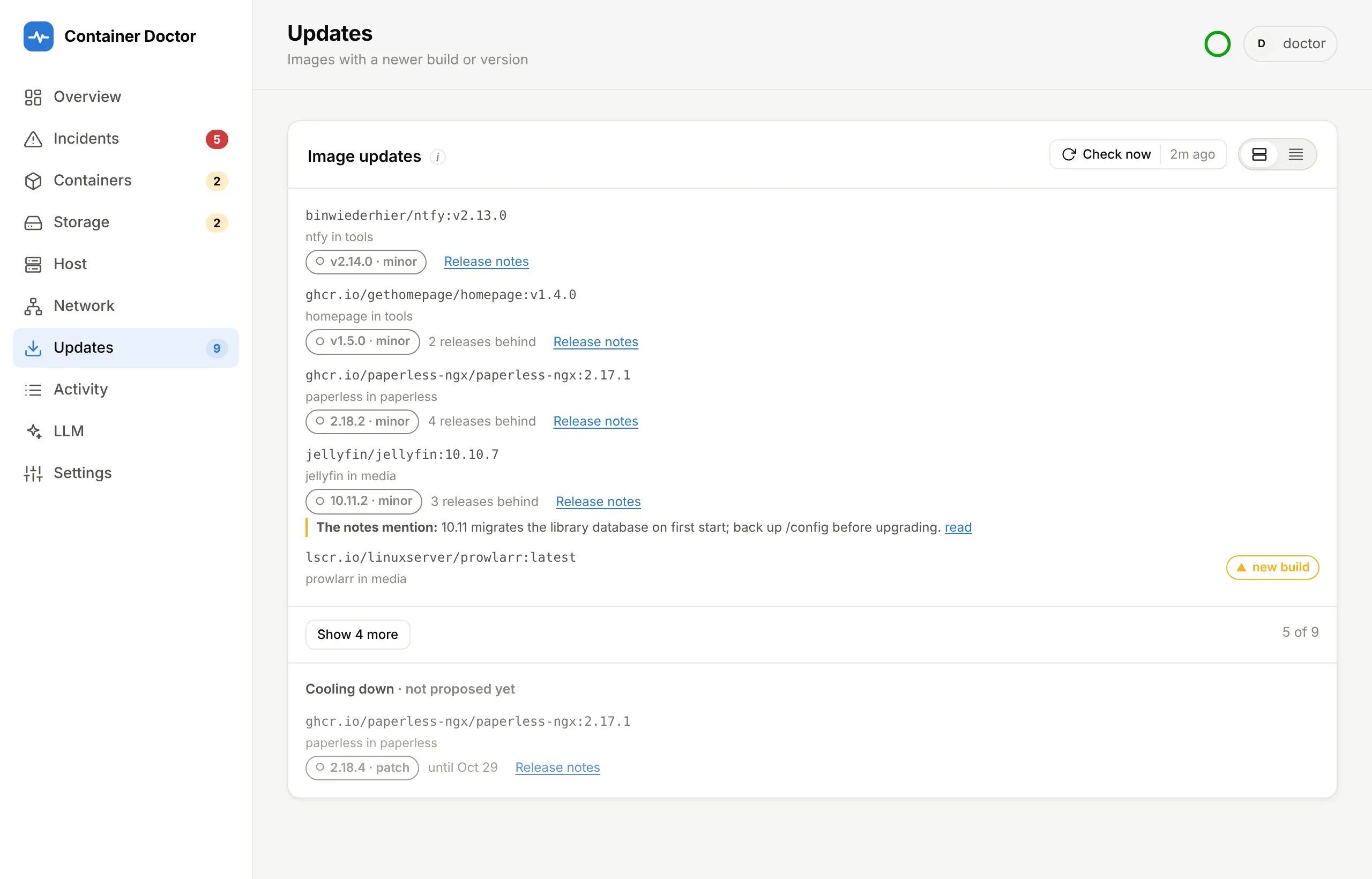
The step is labelled major, minor, patch, new build — or newer release for a date version, where “major” would imply more than a new year does. A new major also names the newest release that is not one, which is usually the upgrade you can take today.
Where the image names its GitHub source (org.opencontainers.image.source, or
a ghcr.io path), the releases between the pin and the newest are read once per
check, and the first whose notes mention a breaking change, a required migration
or manual intervention is quoted — as the notes mention, never as a verdict.
One unauthenticated request per image per check; GitHub allows sixty an hour.
DOCTOR_RELEASE_NOTES=false skips that request, and the notes on request below
with it — what is left is a link to the releases page.
Release notes next to a newer version — or one still cooling down — opens
the notes of every release since the running one, newest first, in place, with
Open on GitHub beside them. They are read when you open them (one request,
kept for an hour), not during the check. Notes are rendered from their Markdown
with raw HTML dropped and only https links kept: they are written by strangers.
A release counts once it has settled. Dependabot with a cooldown (or
Renovate’s minimumReleaseAge) waits days after a release before proposing it, so a
broken or compromised release can be pulled first. The doctor waits the same
DOCTOR_UPDATE_COOLDOWN_DAYS (default 3), reading each candidate’s push date
from Docker Hub, so the panel lists what Dependabot will propose rather than
running days ahead of it. Releases still waiting appear below the list under
Cooling down, with the date each comes out of its cooldown — for
information only: they count towards no badge, container card or briefing
until the check after they settle. Other registries publish no push date, so their releases count at once —
as Dependabot treats them. DOCTOR_UPDATE_COOLDOWN_DAYS=0 reports every
release as soon as it is tagged.
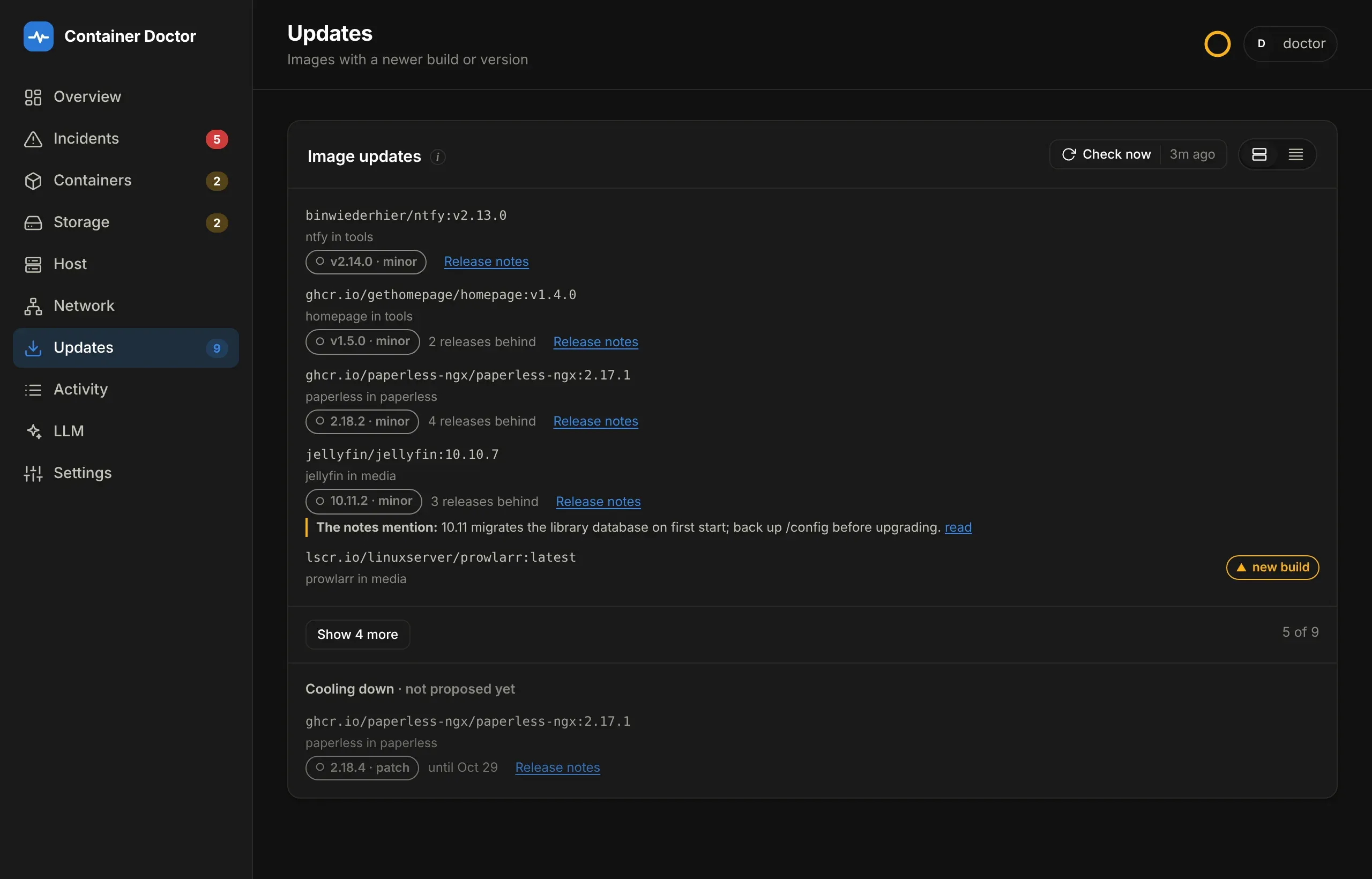
The Image updates panel lists what is behind first — each container linking to its detail view — then Cooling down, then Could not be checked with the reason for each. Check now says beside it how long ago the last check ran. Each container card says 4.1.0 available or update available.
It never updates anything by itself. The doctor never pulls, and could not
if it wanted to — the socket proxy denies writes to /images. Updating a host
unattended is how you find out at 3am which service did not survive it. The
point is to know what is waiting before you pick a Sunday afternoon for it —
and, for a new build, to take it with one button when you do.
What it cannot answer, it says rather than assumes:
| State | Meaning |
|---|---|
update |
The registry publishes a different digest for this tag |
current |
Same digest — nothing to do |
pinned |
Pinned to a sha256: digest, so it cannot drift and no new build is looked for. A pin like name:5.1.3@sha256:… keeps its tag, so a newer version is still reported |
denied |
A private registry. Needs credentials the doctor does not hold, and is not counted as up to date |
unknown |
Unreachable, rate-limited, or the image was never pulled from a registry |
This needs IMAGES=1 on the socket proxy, which the bundled one
grants. It is a read-only grant and exposes nothing that inspecting a
container — long since permitted — does not; POST=0 is what keeps it from
meaning pull or prune. Set DOCTOR_PROXY_ALLOW_IMAGES=0 to take it back, and
the panel says so once instead of repeating the same sentence against thirty
images.
Docker Hub meters manifest reads against its anonymous pull limit. Thirty images
twice a day is comfortably inside it, but a host that shares an outbound address
with anything else may still see registry rate limit reached — which is a
sentence, not an HTTP number, precisely so it is actionable. Raise
DOCTOR_IMAGE_CHECK_HOURS, or set it to 0 to turn the check off.
Redeploying a new build
Section titled “Redeploying a new build”A new build — the tag now points at a different image — is taken by
redeploying the stack. The doctor does that through the repository the stacks
are deployed from: it runs a GitHub Actions workflow there by hand for that one
stack (DOCTOR_DEPLOY_REPO, DOCTOR_DEPLOY_WORKFLOW), and the workflow
redeploys it - typically by calling the stack’s webhook in the Docker manager.
the redeploy workflow is what that workflow must
accept, and a working one. The webhooks stay in GitHub only; the doctor needs
one token:
DOCTOR_GITHUB_TOKEN=github_pat_...Create it under GitHub → Settings → Developer settings → Fine-grained
tokens, for the repository the stacks deploy from only, with Actions: read
and write (start the run and follow it) and Contents: read (list the
stacks). Nothing else. DOCTOR_DEPLOY_REPO names that repository;
DOCTOR_DEPLOY_WORKFLOW and DOCTOR_DEPLOY_REF the workflow and branch.
A row with a new build then gets Redeploy <stack> when its stack
matches a top-level folder of the repository with a compose file, since that is
how the workflow names stacks. The stack is the Compose project’s name, or the
doctor.stack label where the manager names projects its own way (see
Which Docker manager). The doctor reads that list once an
hour; until it has one (or if the token cannot read files), every stack gets
the button and a name the workflow does not know fails its run. Pressing it:
- Asks you to confirm, naming every container in the stack — the manager recreates the whole stack, not one service.
- Starts the workflow with
stacks: <stack>. The run is namedDeploy <stack> - container-doctor <id>, and the row links to it while it runs. It queues behind any other deploy, like every run of that workflow. - Waits for the run to finish, then polls Docker and asks the registry again about the images that had a new build. Only if they are now current is the action succeeded. A failed run, or the old build still running, is failed, with the reason and the run’s link.
A stack that pins its images as tag@sha256:… never gets the button: a new
build of a pinned tag arrives as a Dependabot or Renovate PR that changes the
digest, and merging it is what deploys it. The button is for stacks that run
plain tags.
With the token set, Settings → Response has a GitHub section: the repository, workflow and branch, whether the token is set, and what GitHub last answered — whether the connection works, the workflow’s state, the stacks the button is offered for, and the last redeploy with its result. It is read with the image check and when Settings is opened, at most once an hour.
The token itself is checked too. Expires comes from the header GitHub returns on every request, and from 14 days before the expiry the dashboard’s notices say so. Each permission the doctor needs is tried:
- Contents read: the stack listing, and the stack’s history for a diagnosis.
- Actions read: reading the workflow.
- Actions write: a dispatch request that names no branch. GitHub checks the
permission before it refuses the missing branch, so
422means granted and403means not. No run can start from it.
The token also feeds the diagnosis. For an incident on a container whose Compose project is a stack in the repository, the doctor reads, with the same Contents read permission:
- the service’s definition from the stack’s compose file, comments included — they are often why a setting is what it is;
- the last few commits to the stack’s folder in the past 14 days, with their messages and their diffs (only the files in that folder), each marked as older or newer than the running container.
The diagnosis then sees what changed and why, not only that Docker recreated
the container: a commit that pinned server:2026.8.3 to its digest is plainly
not a new image. Read at most every 10 minutes per service; if GitHub refuses or
is unreachable, the incident is diagnosed without it and the reason is logged.
A classic token shows its scopes instead, since it reaches every repository you can — a fine-grained one is the narrower choice.
Each redeploy is audited like a manual restart: it is in the Activity log, counts towards the per-container action limits, and notifies through ntfy. Like a restart from the dashboard, it is not an incident — you asked for it — so it never shows under Incidents or in their count, and a failed one shows up as a failed row in Activity, with the reason, and its notification opens Activity. It needs a sign-in, like every other action. A newer version gets no button: that is a change to the pin in the stack’s compose file, which belongs in git.
This does not loosen the socket proxy, and the doctor holds no credential for the Docker manager. The worst a leaked token can do is run that repository’s workflows — redeploy stacks — and read its files. The token is never logged or shown; Settings says set or not set.
The manager decides whether the new build actually lands, which is why the
result is checked rather than assumed. A moving tag is fetched again only when
the deploy pulls - pull_policy: always on the service does that with any
manager. With DOCTOR_DOCKER_MANAGER=Portainer, a failed check names the two
Portainer behaviours behind it:
- A git stack is redeployed only when its commit changed, unless Force redeployment is on in the stack’s GitOps settings. With webhook-only updates (no polling) it changes nothing else.
- A moving tag is fetched again only with
pull_policy: alwayson the service, or Re-pull image, which is Business Edition only. Otherwise Compose recreates from the copy already on the host.
A stack without its DEPLOY_WEBHOOK_* secret is skipped by the workflow
with a notice, so the run is green but nothing changed; the check afterwards
reports that. The doctor never redeploys its own stack: it would replace itself
mid-run. Redeploy it the way you deployed it.